Open source, native macOS
Quill
A markdown editor that writes like rich text, renders LaTeX as you type, and ships without a bundled browser engine.
- signed disk image
- ~8.6MB
- warm launch to window
- ~0.8s
- bundled browser engines
- zero
Why build it
Most of what LLMs hand you is markdown, and there is still no nice local way to read it as a document rather than as source. Obsidian wants a vault and a slow boot before it will show you one file. MacDown shows you the source with a preview bolted on. Opening a single .md should be as easy as opening a PDF.
Quill is that opener: double-click any markdown file and it renders instantly as a real document you can edit in place, WYSIWYG. It is a Tauri app, so the Rust backend hands the frontend to the WebKit view macOS already ships. No Electron, no vault, no boot wait.
It feels like a real Mac app: fast to open, follows the system appearance, native menu bar, and it reads and writes plain .md you can open anywhere else.
Rich text in, markdown out
You write in a Notion-style WYSIWYG surface: headings, tables, task lists, blockquotes, links, and inline marks all render as you go. Select any text and a formatting bubble appears with a turn-into menu; type / on an empty line to drop in any block.
Underneath it stays honest markdown. Every document round-trips to a plain .md file, so the structure you build is the structure you can paste into anything else.
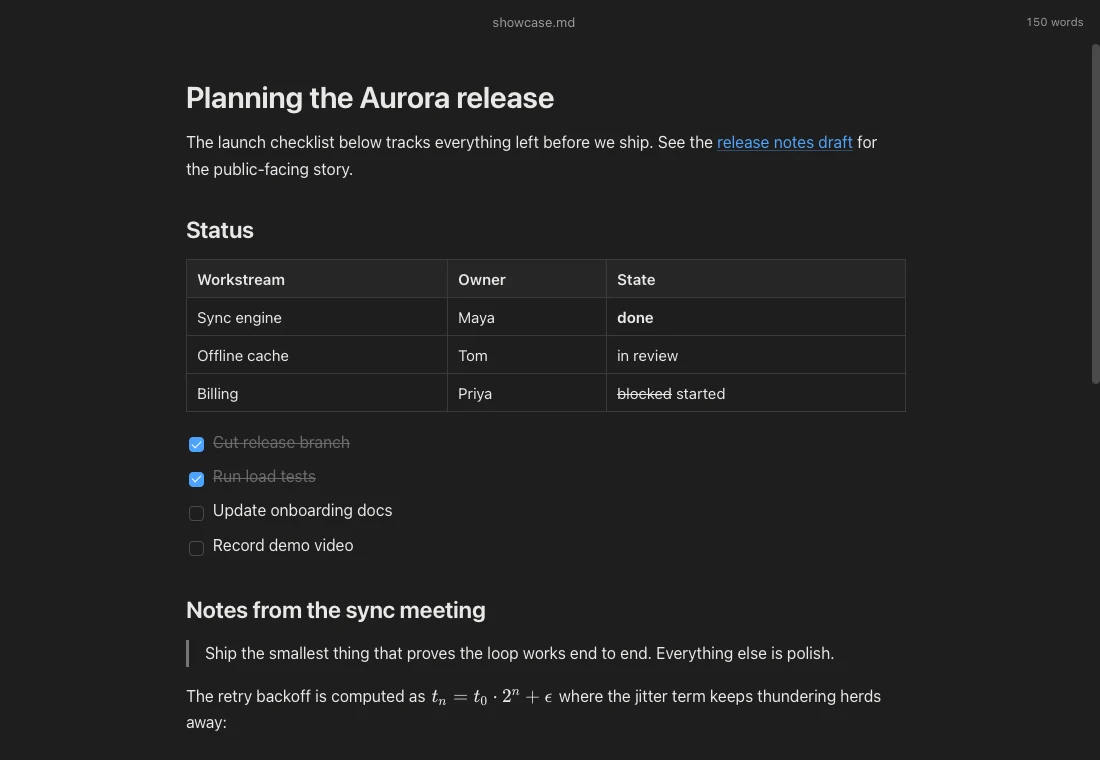
Tables, task lists, quotes, and inline math, rendered live in dark mode.
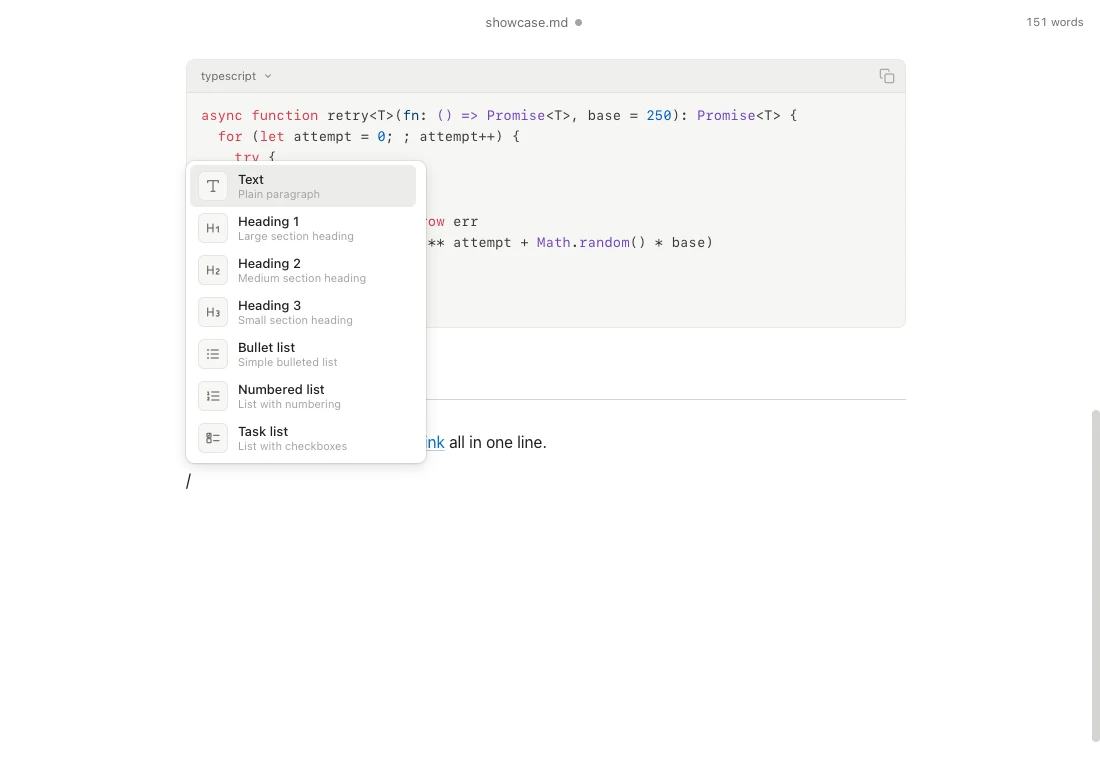
A slash command menu inserts any block without leaving the keyboard.
Math and code, first class
Inline $E = mc^2$ and block $$...$$ equations render through KaTeX the instant you finish typing, and click any equation to edit it in a live-preview popover. Code blocks get syntax highlighting with a language picker, and the grammars load lazily per language so they cost nothing until you use them.
Slash commands, find and replace, link popovers, and crash-safe drafts round out the editing surface, all driven from the keyboard.
How it holds together
The editor is Tiptap on ProseMirror, with markdown serialization for faithful round-trips. A single editor instance lives for the window’s lifetime, so undo history survives while syntax grammars register on demand. Large files used to choke the markdown lexer, so Quill splits them into parse-safe chunks and parses each independently, never breaking inside a fence, list, quote, or table.
It is open source under the MIT license, with an end-to-end harness that drives the real frontend in WebKit through a mocked Tauri layer, so dialogs, saves, and file associations are all testable.